Free document scanner for iPhone
The free scanner that cleans up after you.
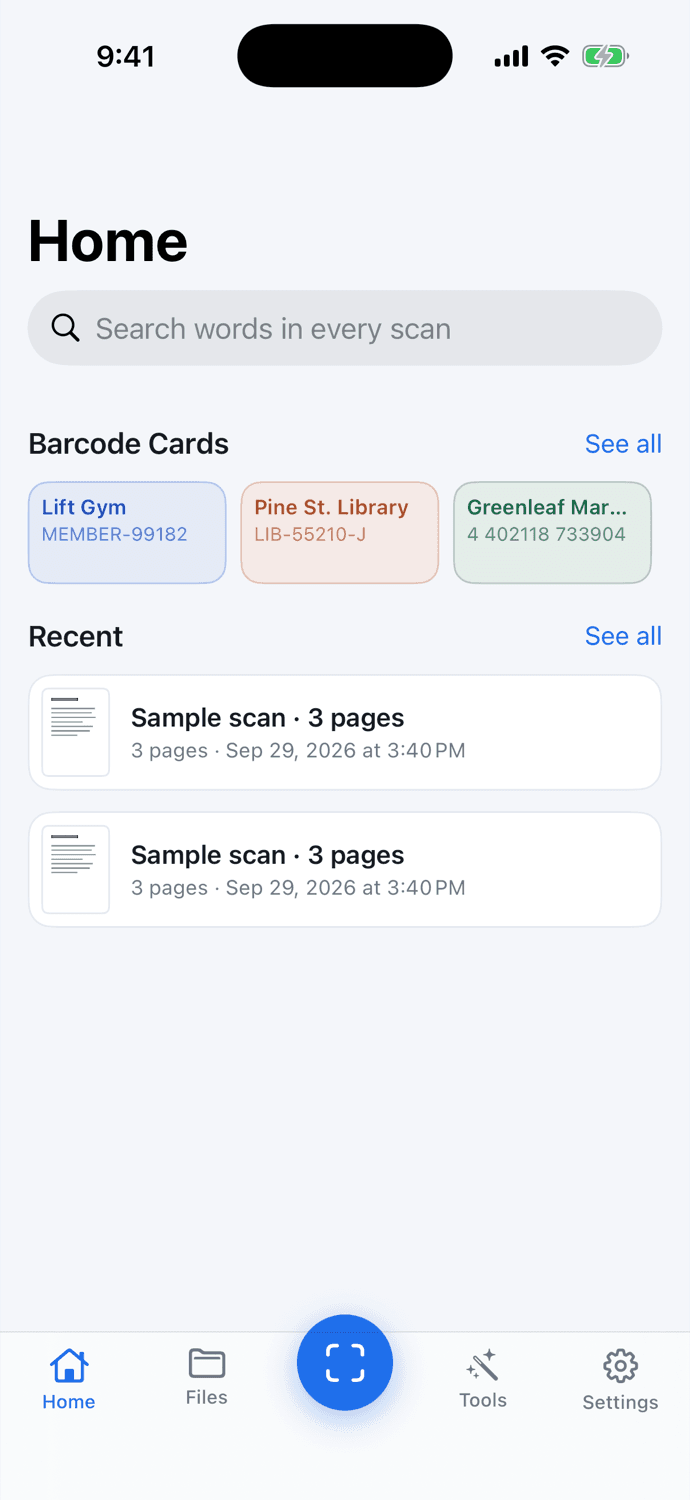
ScanMojo straightens pages, lifts shadows, and removes fingers and staples, all automatically. Every scan stays on your iPhone.
- Free scanning, forever
- No watermarks
- No scan limits
- No account needed
Drag to compare. Illustration of ScanMojo's automatic clean-up.
Automatic clean-up
Fingers, shadows, staples. Gone.
Phone scans usually look like phone photos. ScanMojo finds the page, flattens it, and cleans away everything that isn't part of it, so what you send looks like the original.
- Shadows and uneven light evened out, colors kept true
- Fingers, staples and punch holes removed from the edges
- Curled and folded lines straightened, left margins lined up
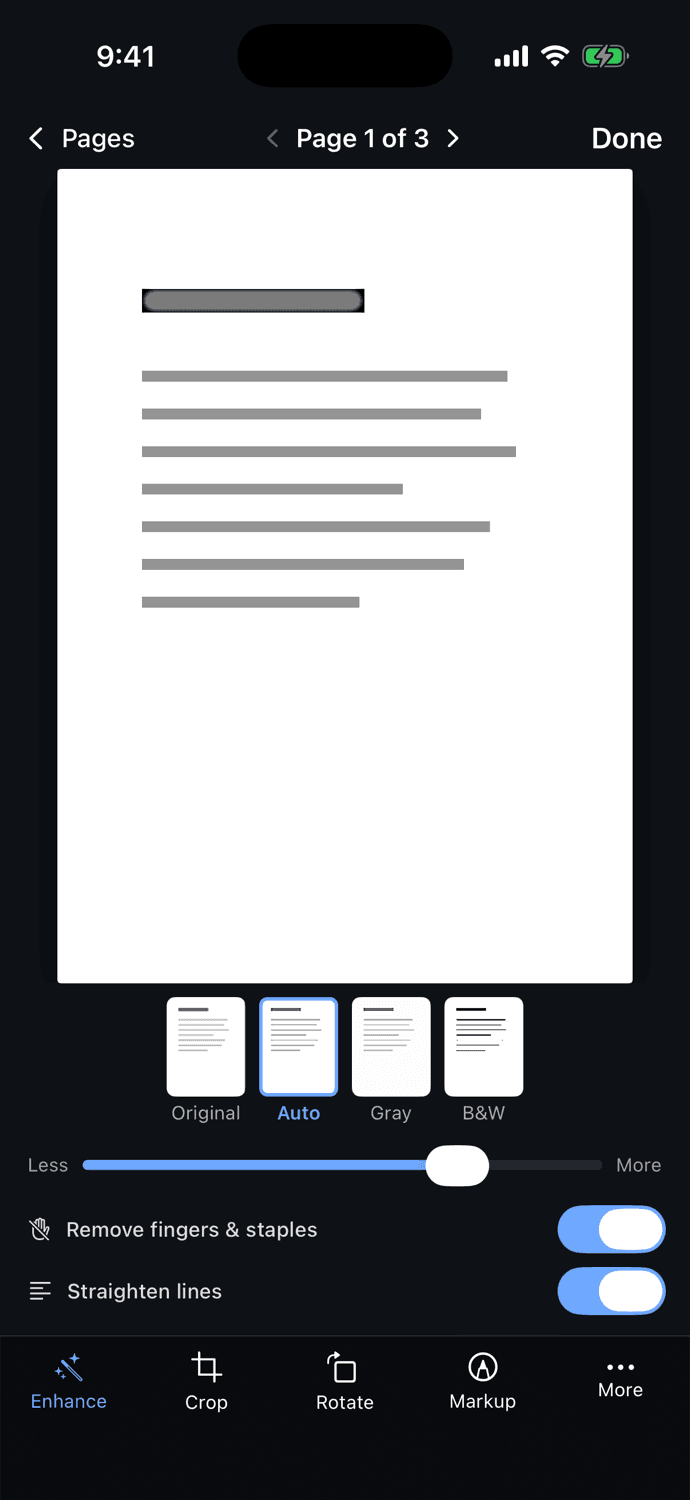
- Original, Auto, Gray and B&W looks, with one slider for strength
Free features
Everything a scanner should do. Free.
No watermarks on your documents and no cap on how many you scan. The essentials never cost a thing.
Captures itself
Hold your iPhone over a page. ScanMojo finds the edges and takes the shot, page after page.
Cleans up automatically
Shadows lifted, fingers and staples erased, punch holes filled. Every page looks like it came off a flatbed.
Straight lines, even on folds
Curled or folded paper is flattened so lines of text run straight and line up on the left.
Search every word
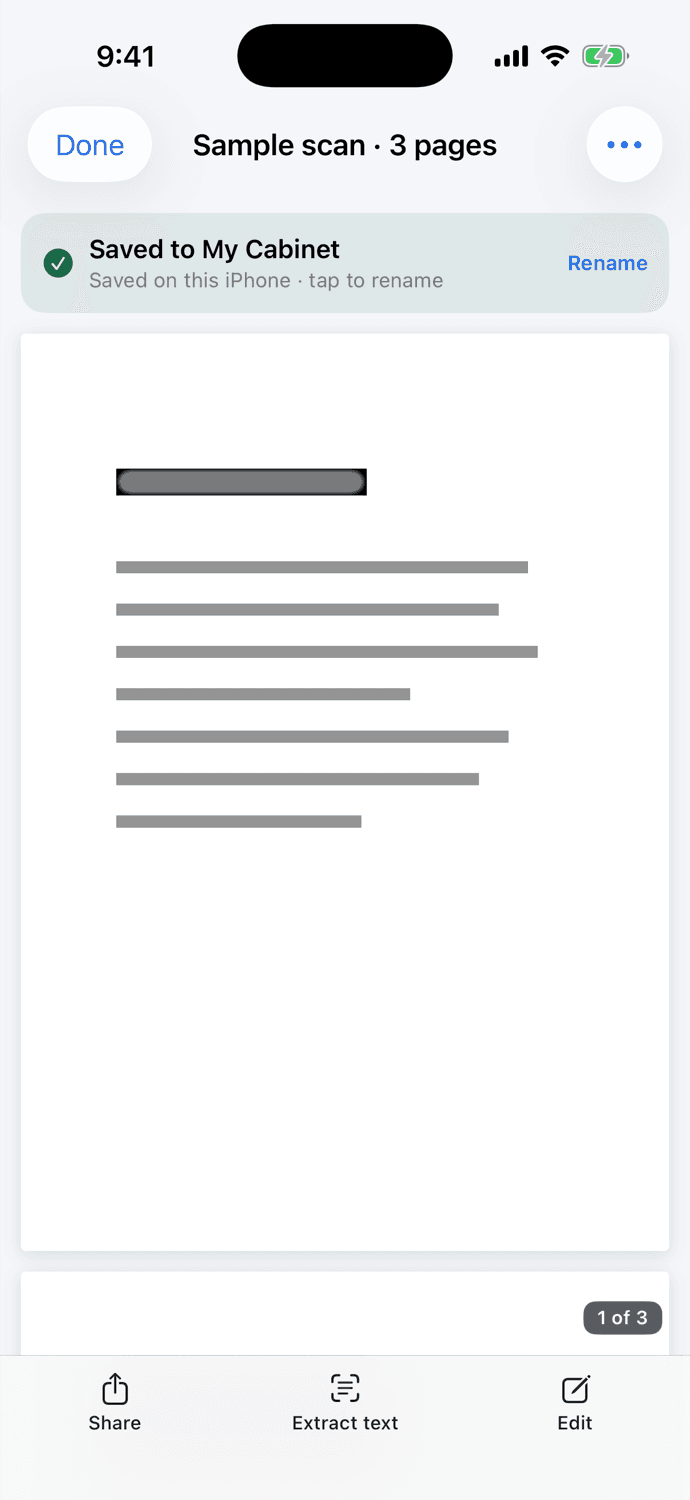
Text in every scan is recognized on your iPhone, so you can find that receipt by typing a word on it.
IDs locked with Face ID
Keep licences and passports in a folder only your face can open.
Barcode cards
Library, gym and loyalty cards on hand, bright and ready at the register.
PDF, images or text
Share a crisp PDF, save images, or copy the text out. Export is free, too.
Import from Photos & Files
Already took a picture? Import it and ScanMojo crops and cleans it the same way.
You stay in control of every page.
Crop, rotate, and switch between looks in the editor. Turn the finger and staple removal or line straightening off for any page where you want the photo as it was.
Private by design
Your documents stay on your iPhone.
Bank statements, medical forms, IDs: the things you scan are personal. ScanMojo keeps them where they belong.
Processed on your iPhone
Edge finding, clean-up and text recognition all run on the device.
No account, no uploads
There's no sign-up, and scans are never sent to a server. A scan leaves your phone only when you share it.
Encrypted at rest
Pages are saved with iOS data protection, locked whenever your iPhone is.
Face ID for the sensitive stuff
IDs and passports stay behind Face ID, even with the app open.
ScanMojo Pro
Finish the paperwork, too.
When a scan needs a signature, a merge, or an edit in Word, Pro has it. Scanning stays free either way.
- Sign and add text to any page
- Merge scans into one PDF
- Export to Word and Excel, laid out like the page
- Password-protect PDFs
- Copy IDs front and back on one page
Yearly
$39.99/year
about $3.33 a month
7 days free
Monthly
$6.99/month
billed monthly
Cancel anytime
U.S. prices; the App Store shows yours before you subscribe. Subscriptions renew automatically until canceled in Settings, and you can cancel during the free trial without being charged.
How it works
From paper to PDF in seconds.
- 1
Point
Open ScanMojo and hold your iPhone over the page. It captures itself.
- 2
Clean
Edges, shadows, fingers and staples are handled for you. Tweak it if you like.
- 3
Share
Send a PDF, save it to Files, or search it later by any word on the page.

FAQ
Questions, answered.
Is ScanMojo really free?
Yes. Scanning, automatic clean-up, text recognition, search, PDF, image and text export, the Face ID lock for IDs, and barcode cards are all free, with no watermarks and no scan limits. ScanMojo Pro is optional and adds tools like signing, merging and Word export.
Are my documents uploaded anywhere?
No. Scans are stored and processed on your iPhone, including text recognition. There's no account and no cloud upload. A scan only leaves your phone when you share or export it yourself.
What does ScanMojo Pro add?
Signing and adding text to any page, merging scans into one PDF, exporting to Word and Excel, password-protecting PDFs, and copying both sides of an ID or passport onto one page.
How much is Pro?
In the U.S., Pro is $39.99 a year with a 7-day free trial, or $6.99 a month. Prices in other countries are set by the App Store and shown before you subscribe.
How do I cancel?
In ScanMojo, open Settings › Manage Subscription, or on your iPhone open Settings › your name › Subscriptions. Cancel at least a day before the trial or period ends and you won't be charged again. Scanning stays free either way.
I have a promo code. How do I use it?
Open ScanMojo › Settings › Redeem Code and enter it, or open scanmojo.app/redeem/YOURCODE on your iPhone.
Does it work offline?
Yes. Scanning, clean-up, text recognition and search all run on your iPhone, so they work without a connection.
Which devices does it support?
iPhone with iOS 17 or later.
Your next scan could be your cleanest.
Free to download. No account, no watermarks, no limits.